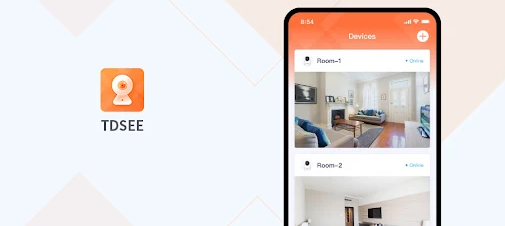
TDSEE App: Smart Video Monitoring & Security for Home & Business
In today’s fast-paced world, security is a top priority, whether you’re at home, in the office, or running a business. TDSEE is an innovative and easy-to-use application that offers comprehensive smart monitoring capabilities to help you stay in control of your surroundings. With a wide range of features, including video monitoring, smart tracking, alarm notifications, two-way audio, and video playback, TDSEE is designed to meet the diverse needs of users for remote video surveillance.
Whether you want to keep an eye on your home, monitor employees at the workplace, secure your warehouse, or oversee a retail shop, the TDSEE app delivers the reliability and functionality required for modern security systems. In this article, we will explore the various features of TDSEE, its benefits, and how it can make your monitoring experience seamless and effective.
What is the TDSEE App?TDSEE is a powerful mobile application that allows users to access live video feeds, receive alerts, and remotely control their smart devices. It is designed to be user-friendly, making it easy for both tech-savvy individuals and beginners to navigate and use. Whether you are using it for home security or enterprise-level surveillance, the app integrates with a wide range of smart devices, providing an all-in-one solution for security management.
Key Features of TDSEE App
TDSEE comes packed with a wide range of features that are designed to enhance your security experience. Let’s explore each feature in detail:
1. Live Video Monitoring
The primary feature of the TDSEE app is live video monitoring, which enables you to view real-time footage from cameras connected to your system. Whether you’re using the app on your smartphone or tablet, you can quickly access the live stream from multiple cameras, allowing you to monitor your home, business, or any other location remotely.
The app supports HD resolution, ensuring that the video quality is clear and crisp. This feature is particularly useful when you need to check on specific areas or check the status of your premises at any given time, regardless of your physical location.
2. Smart Tracking
Smart tracking is one of the standout features of the TDSEE app. It uses advanced AI technology to automatically track moving objects within the camera’s field of view. This is particularly helpful for security cameras placed in locations where movement is expected, such as entrances, parking lots, or warehouses.
When the system detects movement, it automatically adjusts the camera to follow the object or person, ensuring that no important activity goes unnoticed. This feature is ideal for both indoor and outdoor surveillance, as it eliminates the need for manual adjustments or multiple cameras to cover different angles.
3. Alarm Notifications
TDSEE offers customizable alarm notifications to keep you informed in real-time about any security breaches or unusual activities. These alarms can be triggered by motion detection, sound detection, or other pre-configured conditions.
When an event occurs, you’ll receive an instant notification on your device, allowing you to respond quickly. You can customize the sensitivity levels of motion detection, adjust the types of alerts you want to receive, and even set schedules to ensure that you only get notified during certain hours.
4. Two-Way Audio
Another powerful feature of the TDSEE app is two-way audio, which allows you to communicate with people within the camera’s range. This can be particularly useful for intercom systems, monitoring visitors, or communicating with staff in a business setting.
The two-way audio feature is seamless, enabling you to hear sounds from the camera’s location and speak through the app. This functionality is crucial for both residential and commercial applications, allowing you to ask visitors or employees questions or provide instructions.
5. Video Playback
TDSEE also supports video playback, so you can review recorded footage at any time. This is an essential feature for reviewing past events, verifying incidents, or checking on missed activities. The app allows you to easily search and navigate through recorded video files by date and time.
This feature is particularly useful when you need to track specific occurrences or gather evidence for security purposes. Whether it’s for personal security or business management, having access to recorded footage provides peace of mind and added security.
6. Remote Control of Smart Devices
One of the most unique features of the TDSEE app is its ability to control other smart devices remotely. If you have other connected smart devices such as locks, lights, or alarms, you can manage them directly through the app.
For instance, you can remotely lock or unlock doors, turn on or off lights, or activate alarms, all from the same interface. This integration of multiple smart devices into a single platform simplifies management and enhances convenience.
7. Cloud Storage
For users who need a reliable and secure way to store their video footage, TDSEE offers cloud storage options. Cloud storage allows you to save your videos online, ensuring that they are protected from theft, damage, or loss. This is a great backup solution, especially for users who require long-term storage for their surveillance footage.
Cloud storage can also help you save storage space on your device, and you can access your videos from any location without worrying about running out of memory.
Benefits of Using the TDSEE App
Now that we’ve looked at some of the key features, let’s dive into the benefits of using the TDSEE app for your security needs:
1. Enhanced Security
The TDSEE app enhances security by offering real-time monitoring and immediate alerts. You can monitor your premises 24/7 from anywhere in the world, giving you peace of mind that your home, office, or business is secure at all times.
With features like smart tracking, alarm notifications, and two-way audio, TDSEE enables you to respond swiftly to potential threats or unusual activity, ensuring that any security breach can be dealt with promptly.
2. Easy Setup and Use
The TDSEE app is designed to be user-friendly, even for those who are not tech-savvy. The app’s intuitive interface makes it easy to set up and operate, whether you’re installing it on your smartphone, tablet, or other devices.
Setting up cameras, configuring alarms, and linking other smart devices can be done in just a few simple steps. This ease of use makes it accessible for both home users and businesses, and no technical expertise is required.
3. Cost-Effective Solution
With its wide array of features, the TDSEE app is a cost-effective solution for remote monitoring. You can use the app with your existing smart devices, eliminating the need to purchase expensive, proprietary monitoring systems. Additionally, cloud storage options are available at an affordable price, ensuring that you don’t need to invest heavily in hardware for video storage.
For businesses, the TDSEE app offers a more affordable alternative to traditional security services, without sacrificing functionality or reliability.
4. Scalability
TDSEE is a scalable solution that can grow with your needs. Whether you are monitoring a small home or a large commercial property, the app can easily be expanded to include more cameras, devices, and storage options. This flexibility makes it ideal for a wide range of users, from individuals to large organizations.
5. Remote Access
The ability to monitor your property remotely is one of the key advantages of the TDSEE app. Whether you’re on vacation, at work, or traveling abroad, you can stay connected to your security system and access real-time video feeds, receive alerts, and control smart devices from anywhere.
This level of control provides unparalleled convenience and flexibility, ensuring that you are always in the loop when it comes to the security of your property.
How to Download and Use the TDSEE App?
Getting started with the TDSEE app is simple and straightforward. Follow these steps to download and set up the app:
Step 1: Download the App
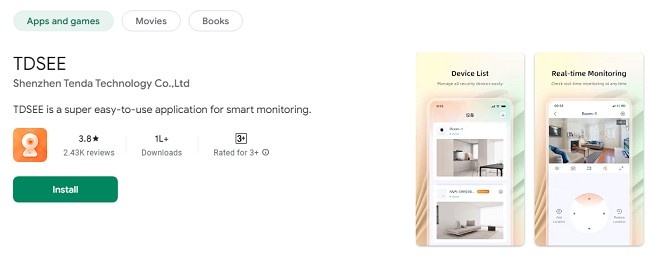
Visit the App Store (for iOS devices) or Google Play Store (for Android devices).
Search for "TDSEE" and click on the "Download" button.
Once the app is downloaded and installed, open the app to begin the setup process.
Step 2: Create an Account
To start using the TDSEE app, you’ll need to create an account. This process typically involves entering your email address, creating a password, and agreeing to the terms and conditions. You may also be asked to verify your email address.
Step 3: Set Up Your Smart Devices
After logging in, you can add your smart devices to the app. Follow the on-screen instructions to connect cameras, alarms, locks, and other devices. You may need to scan QR codes or connect via Wi-Fi or Bluetooth, depending on the device.
Step 4: Configure Notifications and Settings
Once your devices are connected, configure your preferred notification settings, motion detection sensitivity, and other preferences. You can also set up cloud storage if you wish to back up your video footage.
Step 5: Start Monitoring
With everything set up, you can start monitoring your cameras, viewing live feeds, receiving alerts, and interacting with your devices remotely. The user-friendly interface makes it easy to navigate through the app and perform any necessary actions.
Frequently Asked Questions (FAQs)
1. What is the TDSEE app?
The TDSEE app is a smart monitoring application that allows you to remotely view video feeds, receive alerts, control smart devices, and manage security systems for homes, businesses, and other premises. It includes features like live video monitoring, smart tracking, two-way audio, and video playback.
2. How do I download the TDSEE app?
You can download the TDSEE app from the App Store for iOS devices or Google Play Store for Android devices. Simply search for "TDSEE" and click the download button to install it on your phone or tablet.
3. Is the TDSEE app free to use?
Yes, the TDSEE app is free to download and use. Some advanced features, like cloud storage, may require a subscription or in-app purchases.
4. Can I monitor my property remotely using the TDSEE app?
Yes, the TDSEE app allows you to monitor your property remotely from anywhere. You can view live video feeds and receive alerts directly on your mobile device.
5. How many devices can I connect to the TDSEE app?
The TDSEE app is scalable, meaning you can connect multiple devices like security cameras, sensors, and smart locks. The number of devices you can connect depends on your specific needs and the plan you choose.
6. Can I listen to and talk to people through the app?
Yes, TDSEE supports two-way audio, so you can listen to sounds from the camera's location and communicate with people through the app.
7. What is smart tracking?
Smart tracking is a feature that automatically follows moving objects or people within the camera’s field of view. This ensures that important activities are continuously monitored without manual adjustments.
8. How does the alarm notification work?
The app sends you real-time alerts if it detects motion, unusual sounds, or other activity that you have set up. You can customize the notification settings for different events and adjust sensitivity.
9. Can I access recorded footage from the app?
Yes, you can use the video playback feature to review recorded footage at any time. This is useful for checking past events and verifying any incidents.
10. Does the TDSEE app support cloud storage?
Yes, TDSEE offers cloud storage options for saving video footage. Cloud storage helps keep your videos secure and accessible from anywhere, even if your device is damaged or lost.
11. Do I need to be tech-savvy to use the TDSEE app?
No, the TDSEE app is designed to be user-friendly and easy to set up. You don’t need technical expertise to use it. Simply follow the on-screen instructions to get started.
12. Is the TDSEE app compatible with all devices?
TDSEE is compatible with most smartphones and tablets running on iOS or Android. Make sure your device meets the app’s system requirements for the best experience.
13. How do I set up cameras and devices on the app?
After downloading and opening the app, you’ll need to create an account. Then, follow the simple setup instructions to connect your cameras and other smart devices via Wi-Fi or Bluetooth.
14. Can I control other smart devices like lights or locks through the TDSEE app?
Yes, TDSEE allows you to control other compatible smart devices, such as locks, lights, and alarms, directly from the app. This integration helps simplify your security and automation system.
15. How do I customize my notification settings?
You can easily customize notification settings by going to the settings menu in the TDSEE app. From there, you can choose what types of alerts you want to receive and adjust sensitivity levels for motion and sound detection.
16. What should I do if I encounter an issue with the app?
If you experience any issues with the TDSEE app, try restarting the app or your device. If the problem persists, you can reach out to the TDSEE support team through the app’s help section or visit the website for troubleshooting guides.
17. Is the TDSEE app secure?
Yes, the TDSEE app is designed with strong security features to protect your data and video footage. The app uses encryption for communication and offers cloud storage options for secure video backup.
18. Can I use TDSEE for business or commercial security?
Absolutely! TDSEE is suitable for both home and business use. It can be scaled to meet the needs of commercial properties, including shops, warehouses, offices, and more.
19. How do I delete my account from the TDSEE app?
If you wish to delete your account, go to the app's settings and look for the account management section. There, you will find the option to delete your account permanently.
20. Can I share access with other users?
Yes, you can share access with other users by inviting them through the app. This is useful if you want to grant access to family members, employees, or security personnel.
ConclusionIn a world where security is becoming more crucial than ever, the TDSEE app offers an all-in-one, easy-to-use solution for remote video monitoring and device management. Whether you're protecting your home, business, or a larger enterprise, TDSEE’s features—such as live video monitoring, smart tracking, alarm notifications, two-way audio, and video playback—ensure that you’re always in control.
By providing an intuitive user experience, cost-effective solutions, and scalable options, TDSEE empowers you to secure your property with ease and confidence. Download the TDSEE app today and take control of your security needs with just a few taps on your device!
Trending Now
Updates